
Cart

Your cart is currently empty.

Continue shopping

Payment Method

Welcome your support of Epowerbackup.com! To ensure your shopping experience is smooth and safe, we provide PayPal payment method. Below are detailed instructions on the PayPal payment methods we support and the simple payment process.

PayPal Payment Method

We support the use of PayPal for shopping payment to provide you with a more convenient and secure payment option. With PayPal, you can pay using a credit card, debit card, or through your PayPal account balance.

Payment process

Step 1: Add the Energy Storage Power Supply product you want to buy to your shopping cart.

Step 2: Click icon to enter the shopping cart.
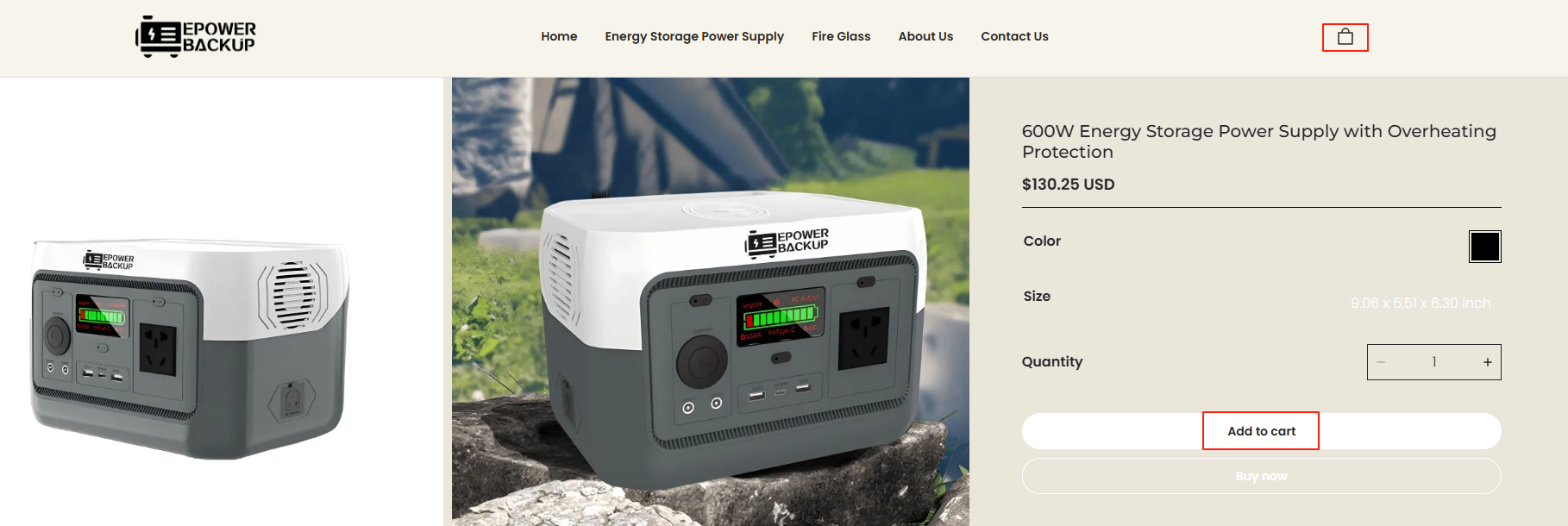
Step 3: View and confirm the order information. At this point, you can choose to directly  click “checkout” to enter the settlement page.
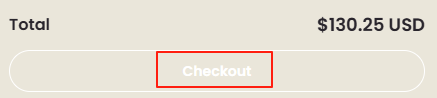
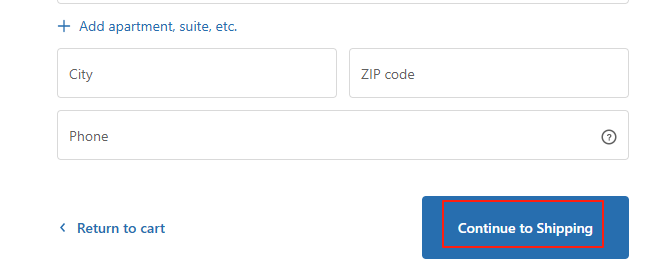
Step 4: If you click the “checkout” button and enter the checkout page, please carefully fill in the name, address, phone number, email and other information in the “Billing details”.

After filling in and checking that it is correct,click "continue to shipping" to Choose a shipping method,then follow the prompts to proceed to the next step until the payment is completed.
Once payment is successful, you will receive an order confirmation email.

1. What should I do if my PayPal payment fails?

If you encounter problems when paying with PayPal, don’t worry, we will solve it step by step:

(1) Check PayPal account balance: First make sure there is enough balance in your PayPal account to pay for shopping. If it’s not enough, you can consider recharging your PayPal account or linking a valid bank or credit card.

(2) Verify PayPal account information: Make sure your PayPal account information is accurate, including payment method, account number, password and related security settings. If any information is changed or incorrect, it may result in payment failure.

(3) Check transaction limits: Sometimes, PayPal may set some transaction limits on the account. Please log in to your PayPal account to check if there are any restrictions and remove them if necessary.

(4) Contact PayPal customer service: If you still cannot complete the payment after going through the above steps, don’t hesitate to contact PayPal customer service directly. They are usually able to provide detailed information about the specific transaction failure and assist you in resolving the issue.

2.How to cancel an order?

If you place an order for Energy Storage Power Supply and want to cancel the order, please cancel the order in your account orders details within two hours of placing the order.

We are open Monday-Friday , 10:00AM-6:00PM (PST). Please note that we do not process weekend orders. If you place your order after 6:00 PM on Friday, your order will be processed starting at 10:00 AM on the following Monday.

Please note that orders can be canceled within 1 hour after successful payment. The order will begin to enter the packaging process after 1 hour and cannot be canceled. You can choose to contact us to arrange a return for you after receiving Energy Storage Power Supply.